Tips:
Automate tedious tasks with scheduling Set a task to run at a scheduled intervals. Options include input source switching, audio mute, video mute, brightness, aspect ratio, powering on/off and more. |
Control on the function menu > click + > select a device/group/location > Control panel
*Conrol the schedule by device, group or location.(You can access schedule from device, group and location in menu).
A. Select Schedule Type: Once or Repeat
Once: One-time schedule
**In this case, please remember to repeat from Monday to Sunday.
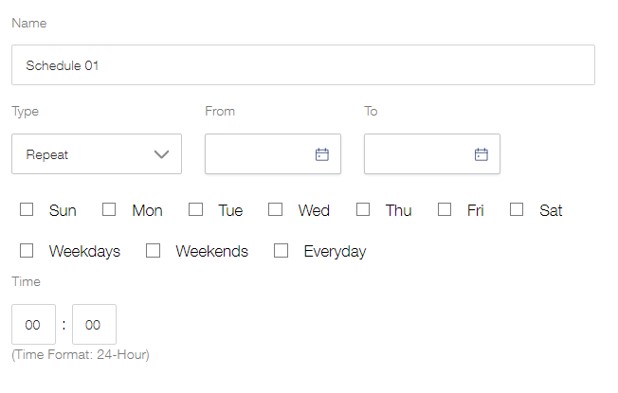
B. Select the date and time for the scheduled task
C. Select one or more commands
D. Click Save to save the command task until execution
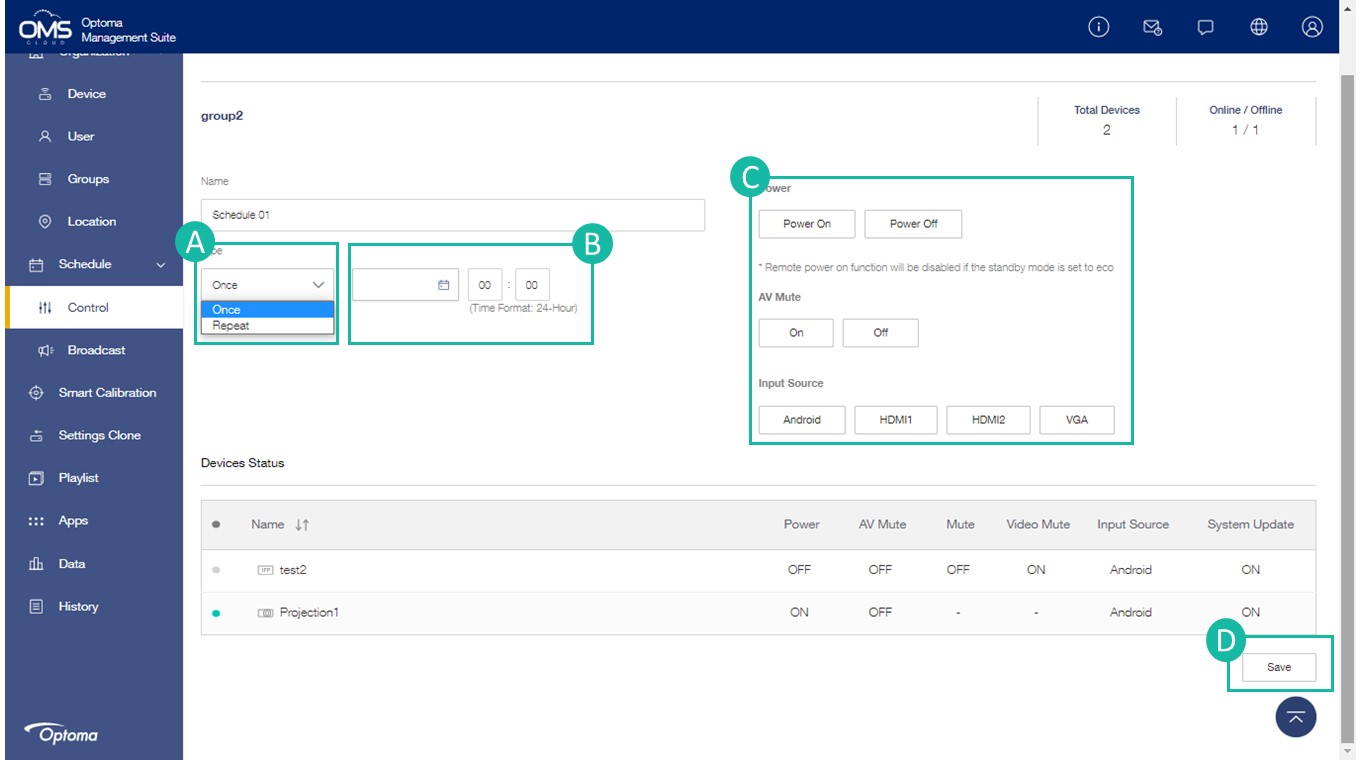
*If power off is included in multiple commands, the power off command is executed last.
*Control panel commands depend on different models.
Schedule status :
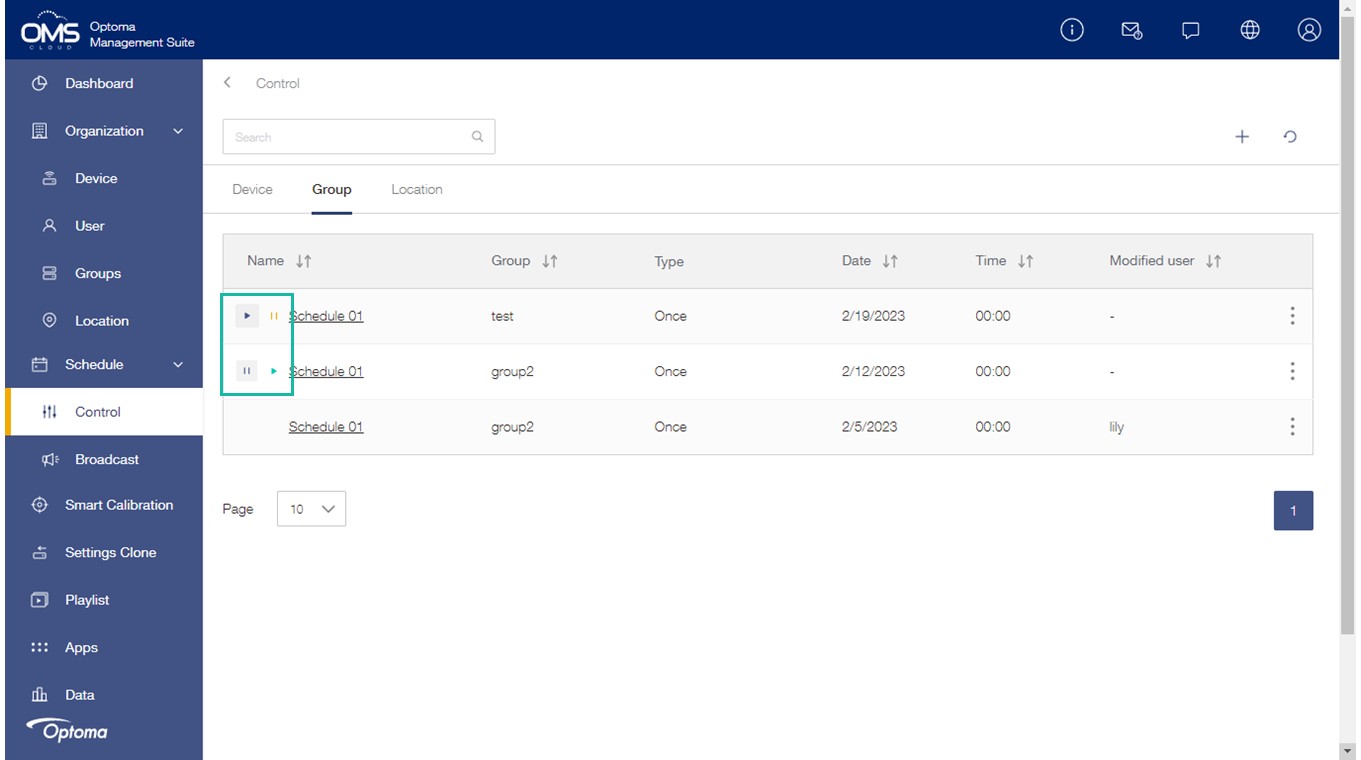
Click  to activate the schedule.
Click  to stop the schedule.