Dashboard
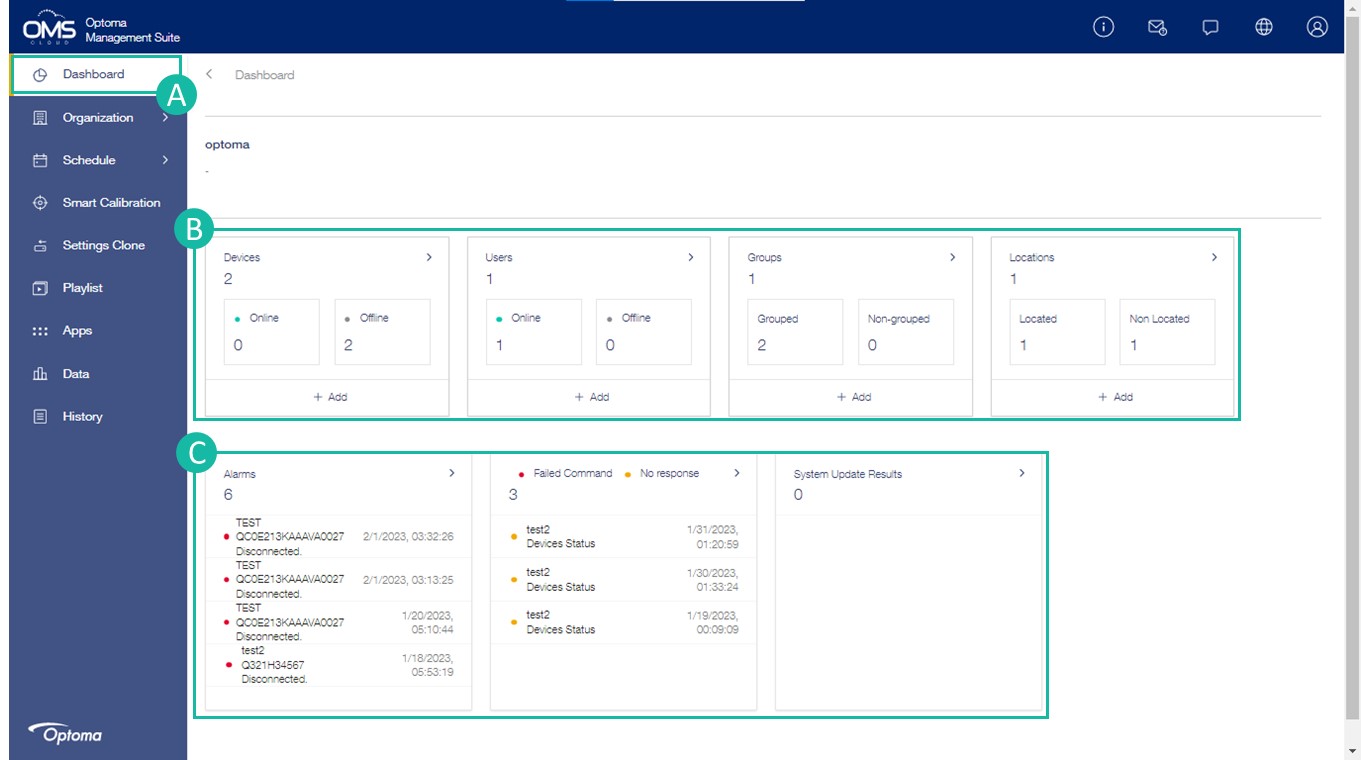
Monitor device status in different locations and groups via the dashboard
A Dashboard on the function menu
B Online Status : All user states and device states, including different groups and locations.
C Alert Stauts : Device alerts include status, commands, and system updates.
Device Informantion
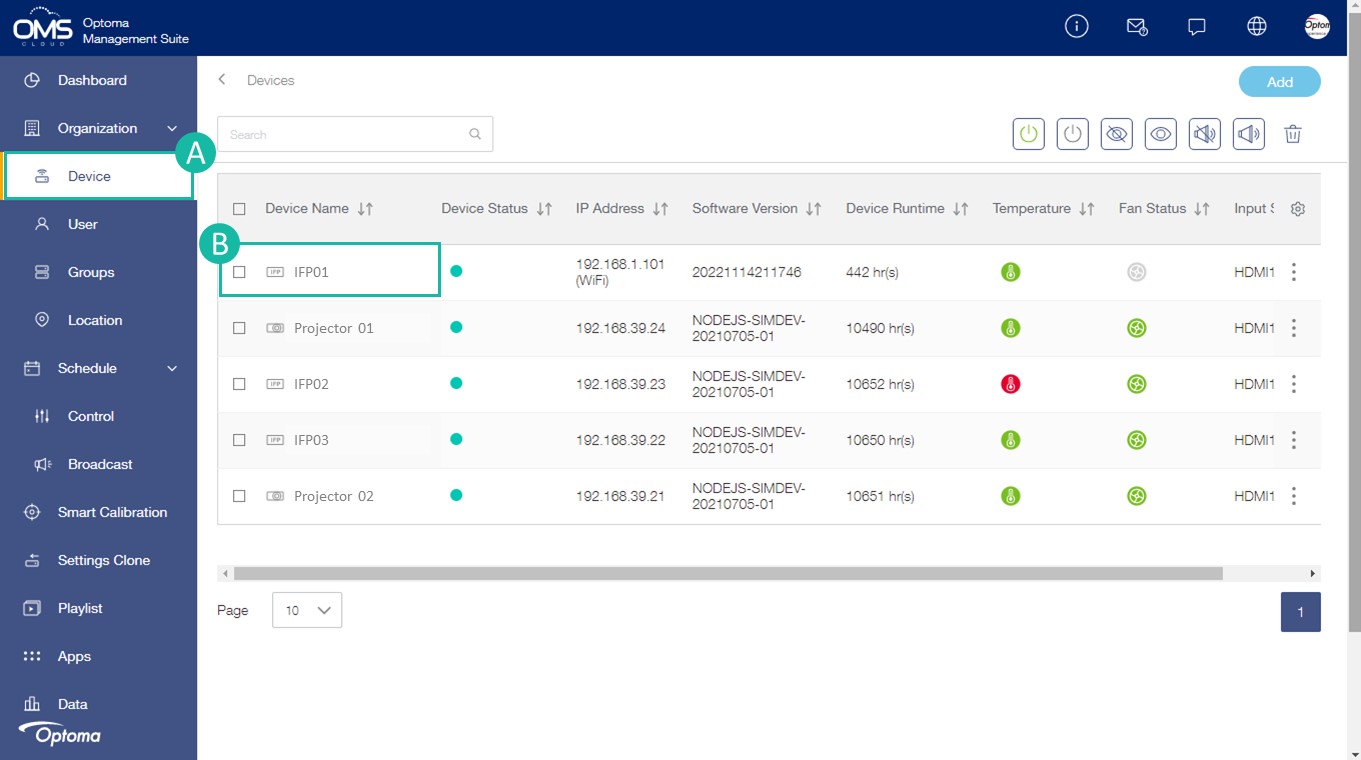
Easily monitor device status through OMS device list.
A Device on the function menu
B Click the filter icon to select the device options to monitor.
Device name, Device status , Temperature , Fan status are the default items and cannot be canceled.
C To quickly send basic command by selecting device and click right upper short cut key.
D To view individual device details, simply click on one of the devices.
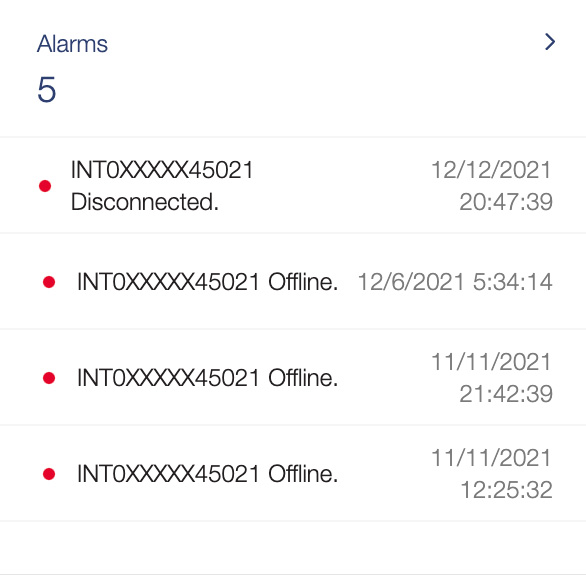
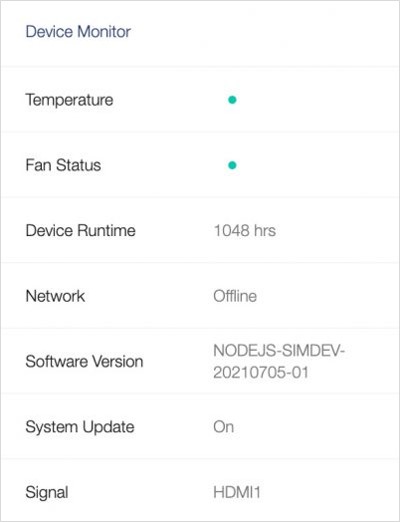
Device Info including Alarms, hardware information, device status, device creation details

 Power on
  Power off
  AV mute
  AV mute off Mute
  Mute off
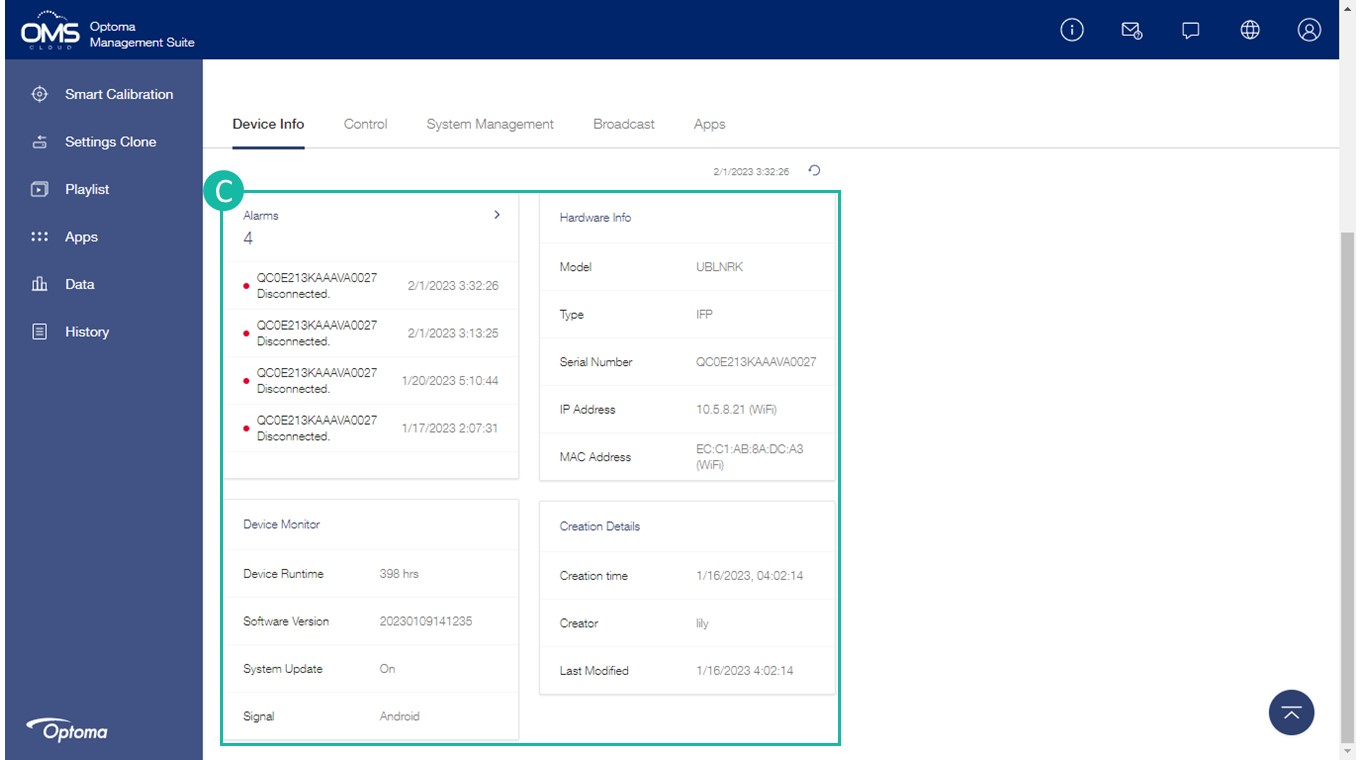
Alarms:Device system abnormal notification
Device Runtime:Cumulative light source hours
Software version: Device software version
System update:Auto On/Off Status
Signal:Input source
Group Setting
Easily manage multiple devices at the same time with grouping.
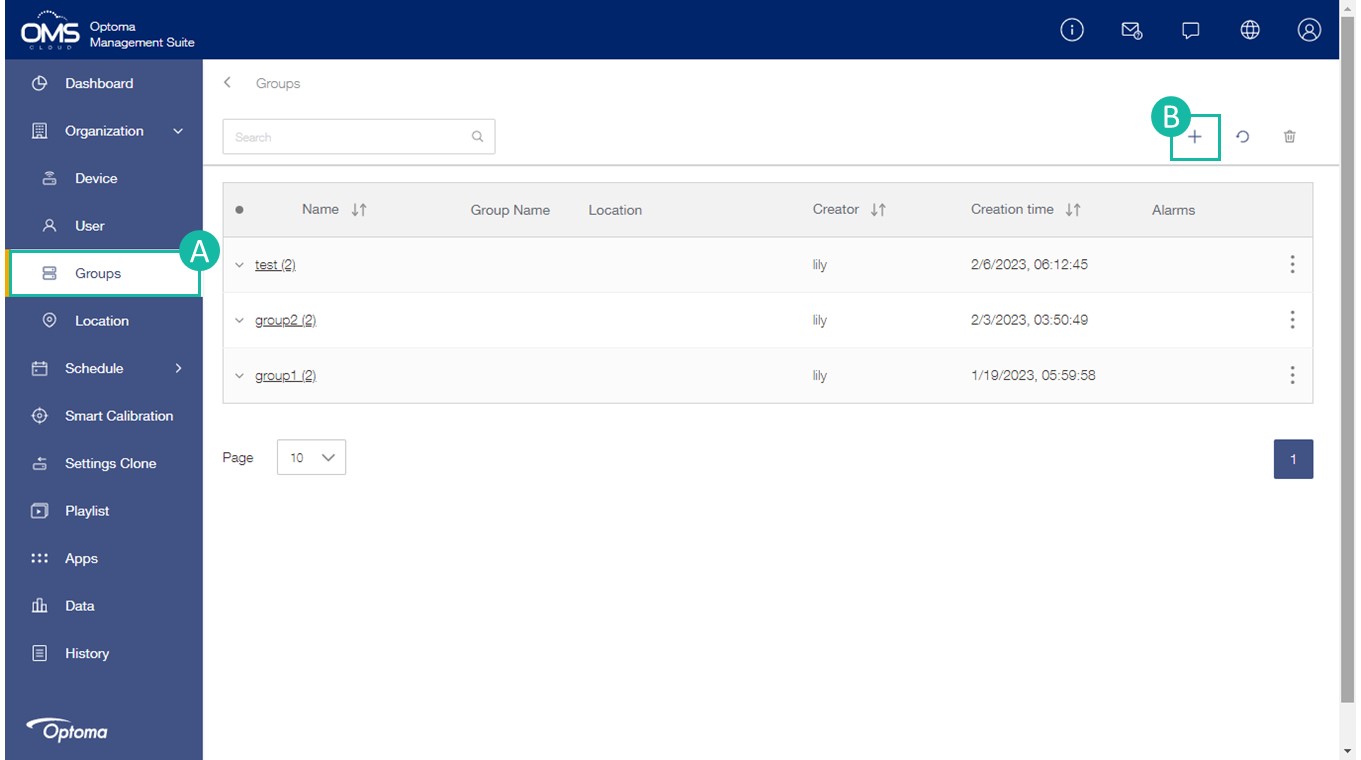
A Click Groups on the function menu
B Click + the upper right corner to add a new group
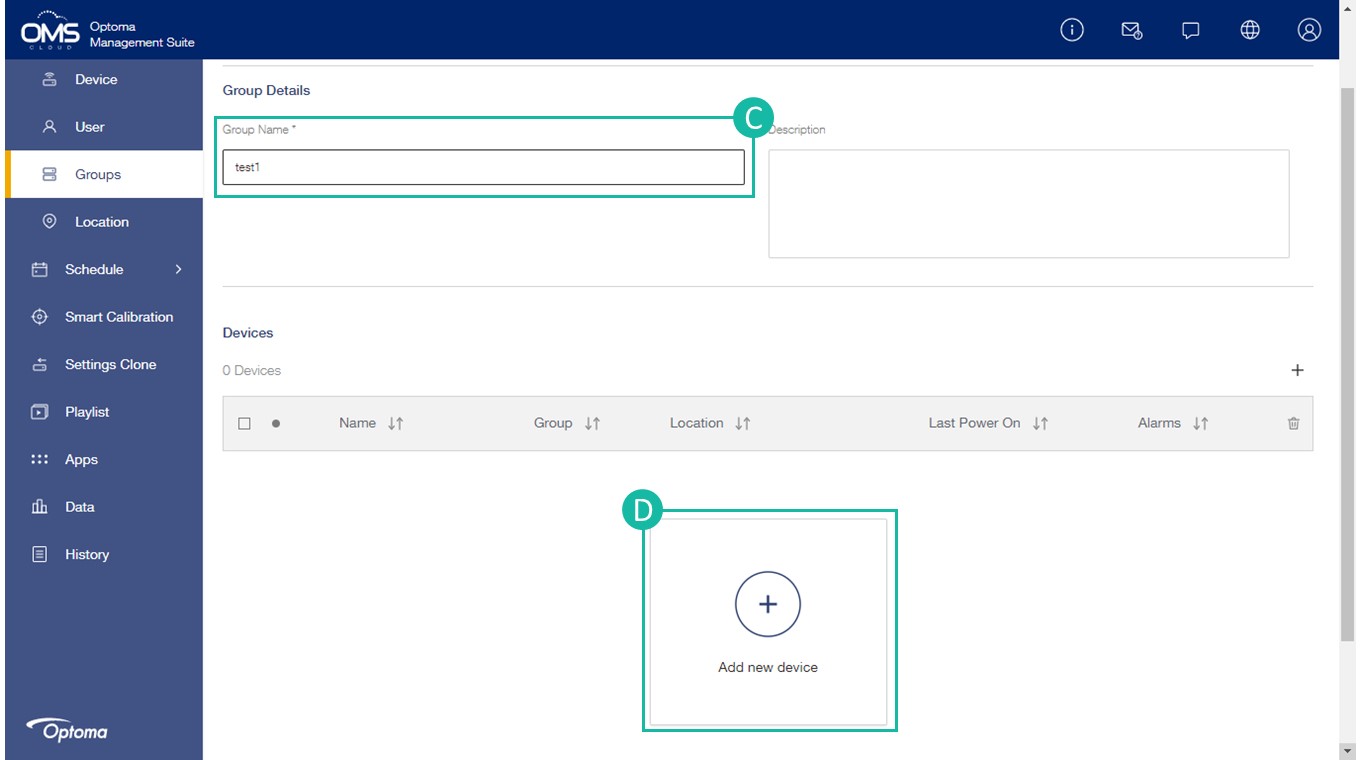
C Fill in the group details: Group name (must have), group information description
D Click + to add new device
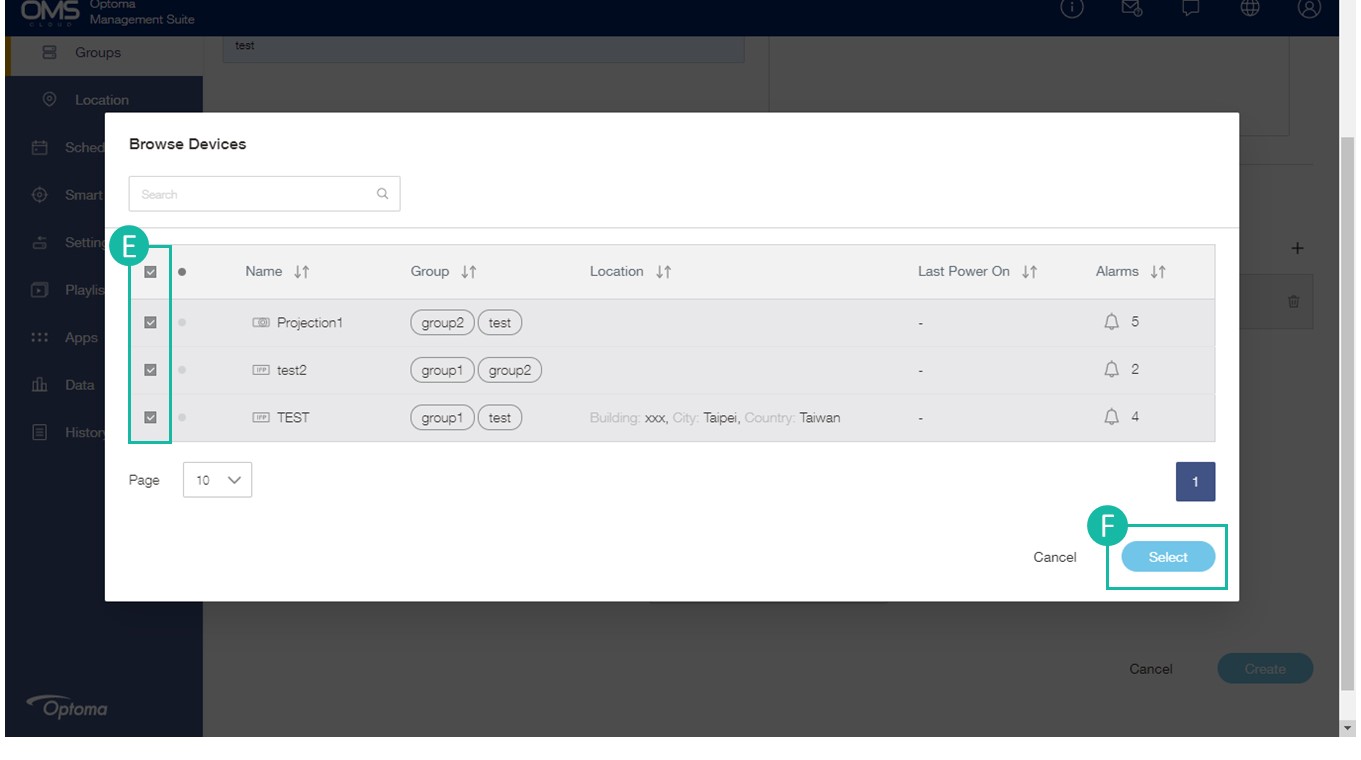
E Select the device in the list
F Click Select to add the device/s to the group
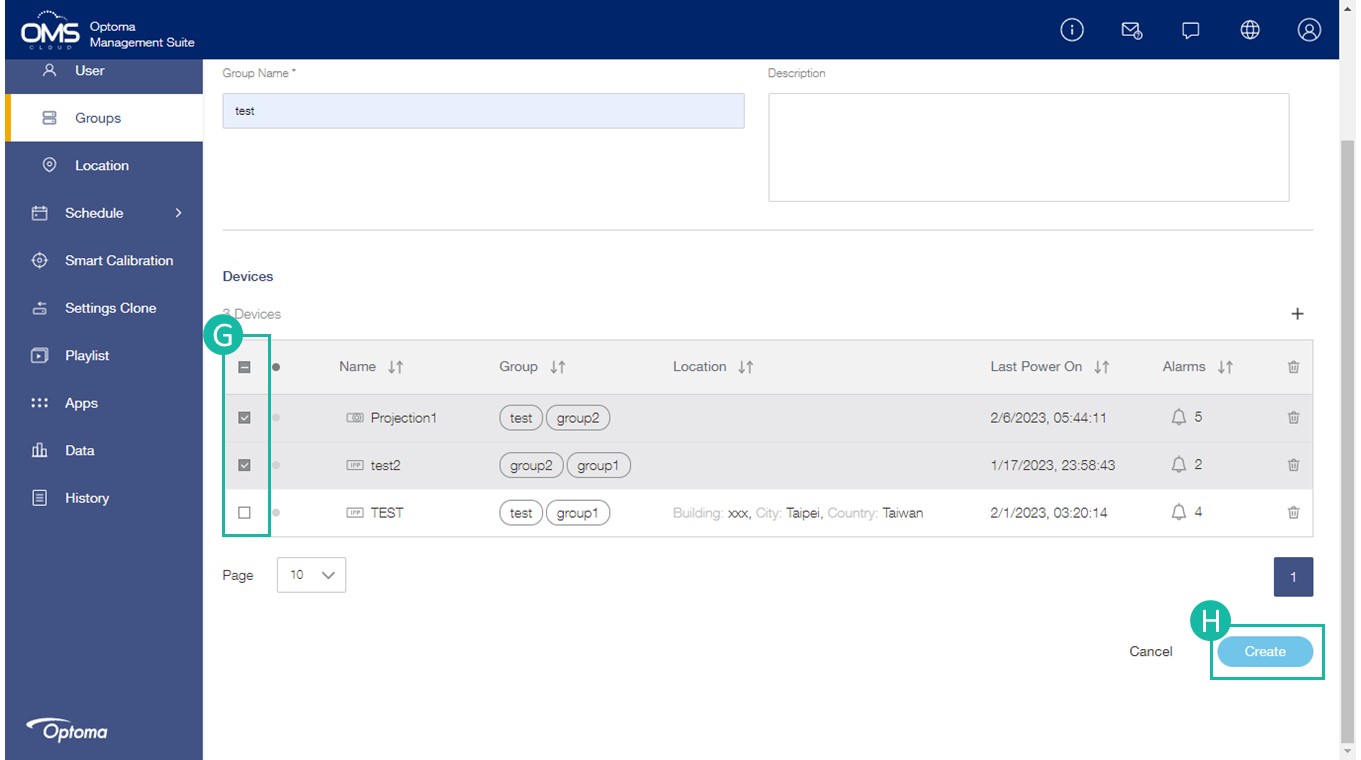
G Check the device list
H Click Create
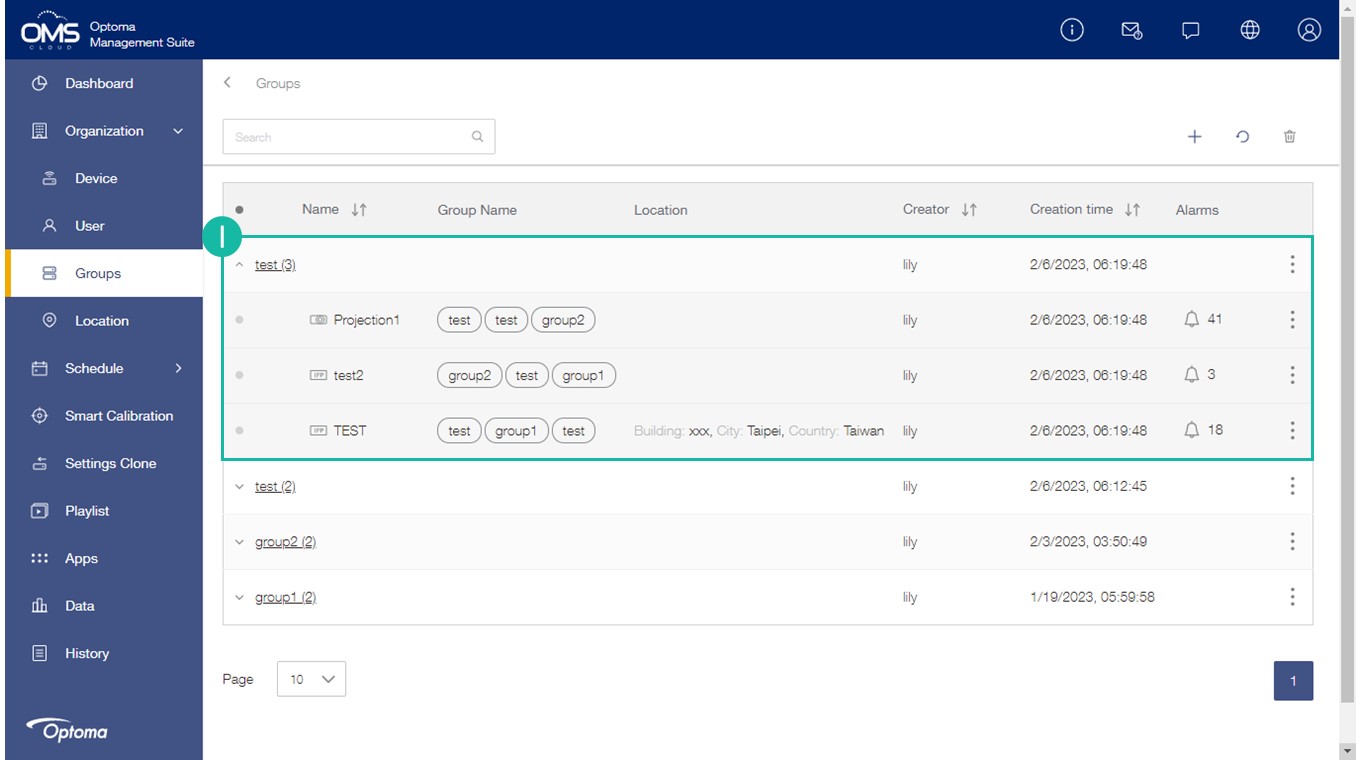
I The new group will be listed in the group list
* A device can be assigned to different groups
Location Setting
Easily manage and control devices based on location.
Use the location menu to add locations, assign devices to locations and send commands to display devices in a particular location.
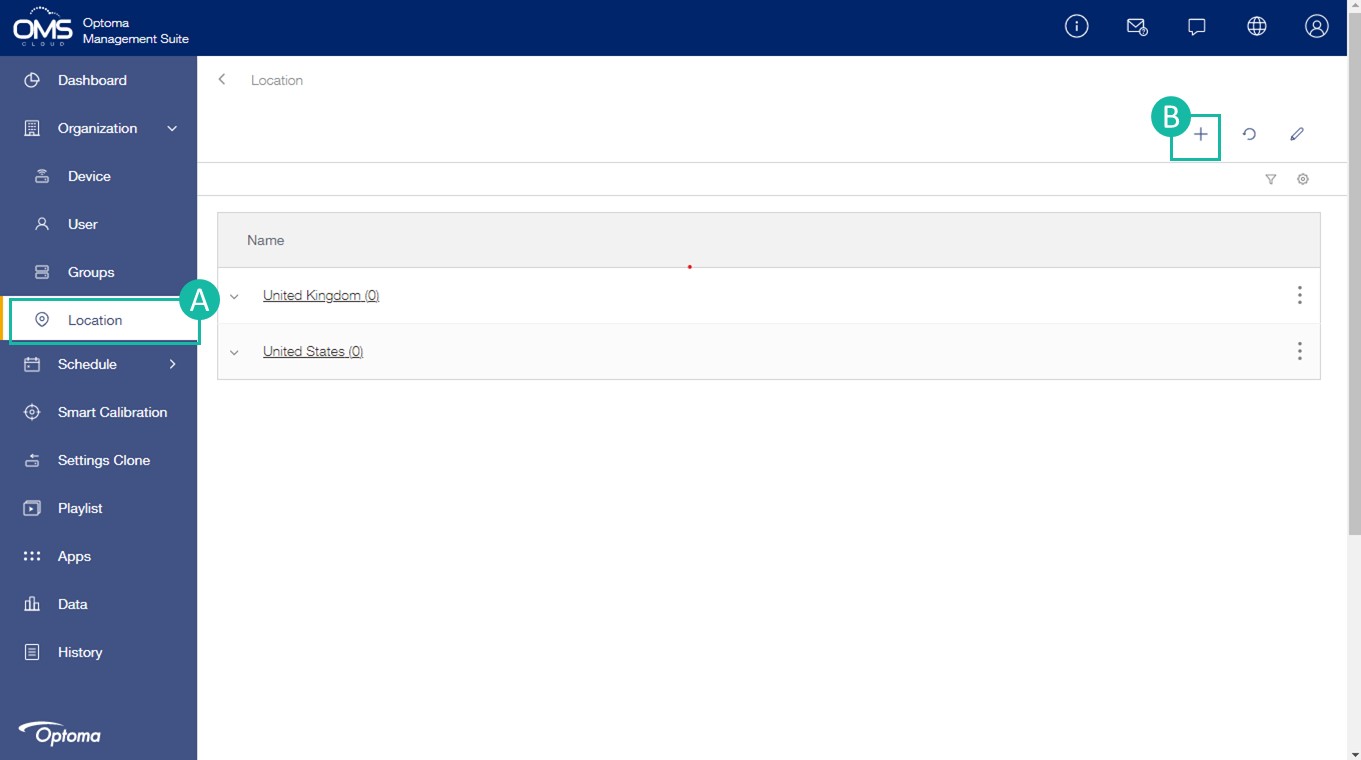
A Click Location on the function menu
B Click + in the upper right corner to add a new location
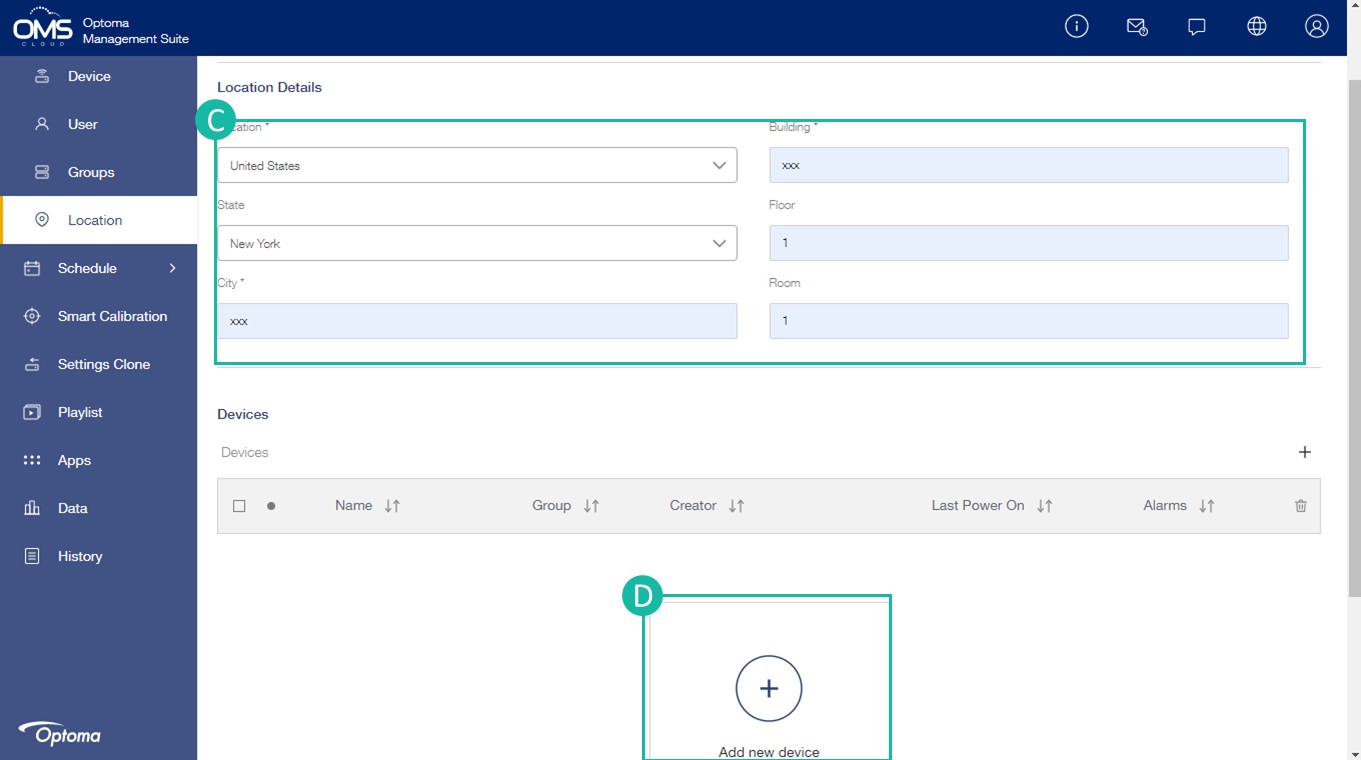
C Fill in the Location details
Area > State > City > Building > Floor > Room
*Each device can only be assigned to one location.
D Click + to add new device/s into location
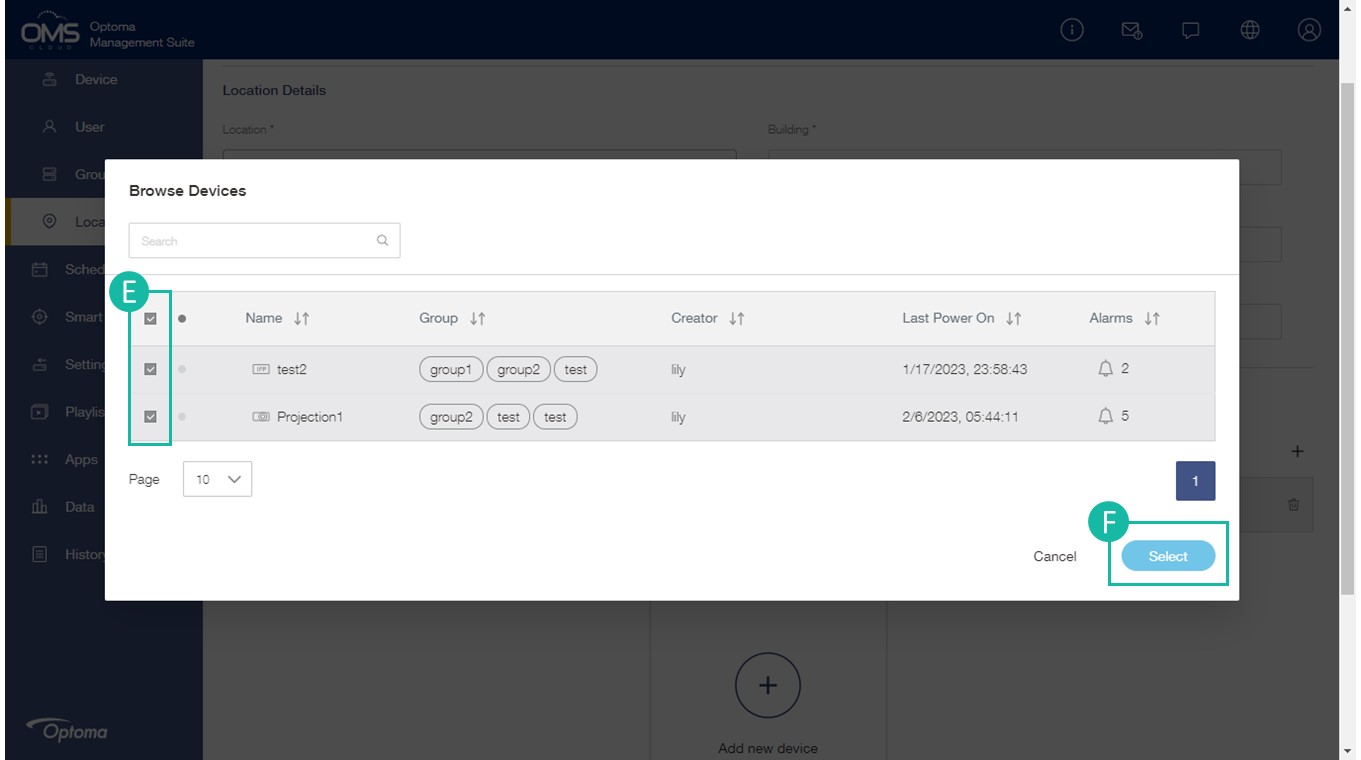
E Select the device in the list
F Click Select
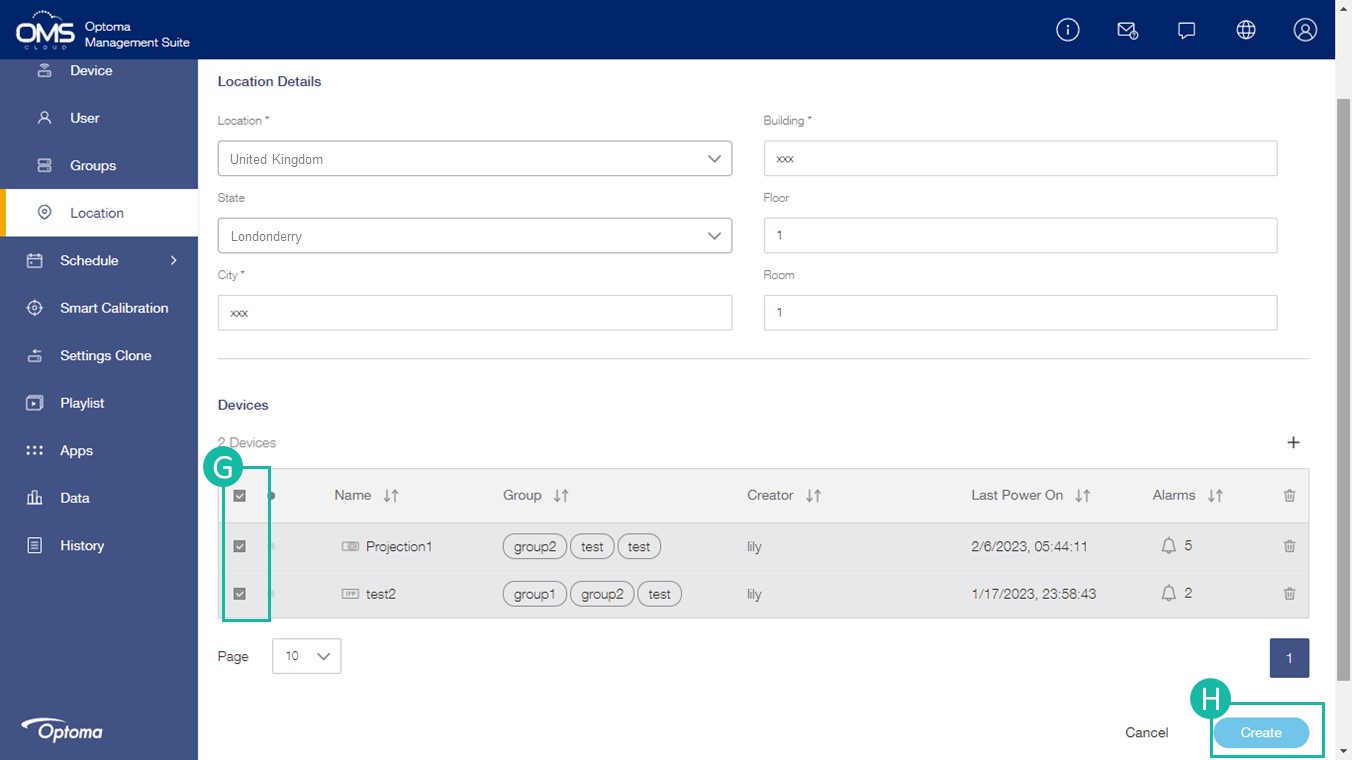
G Check the device list
H Click Create
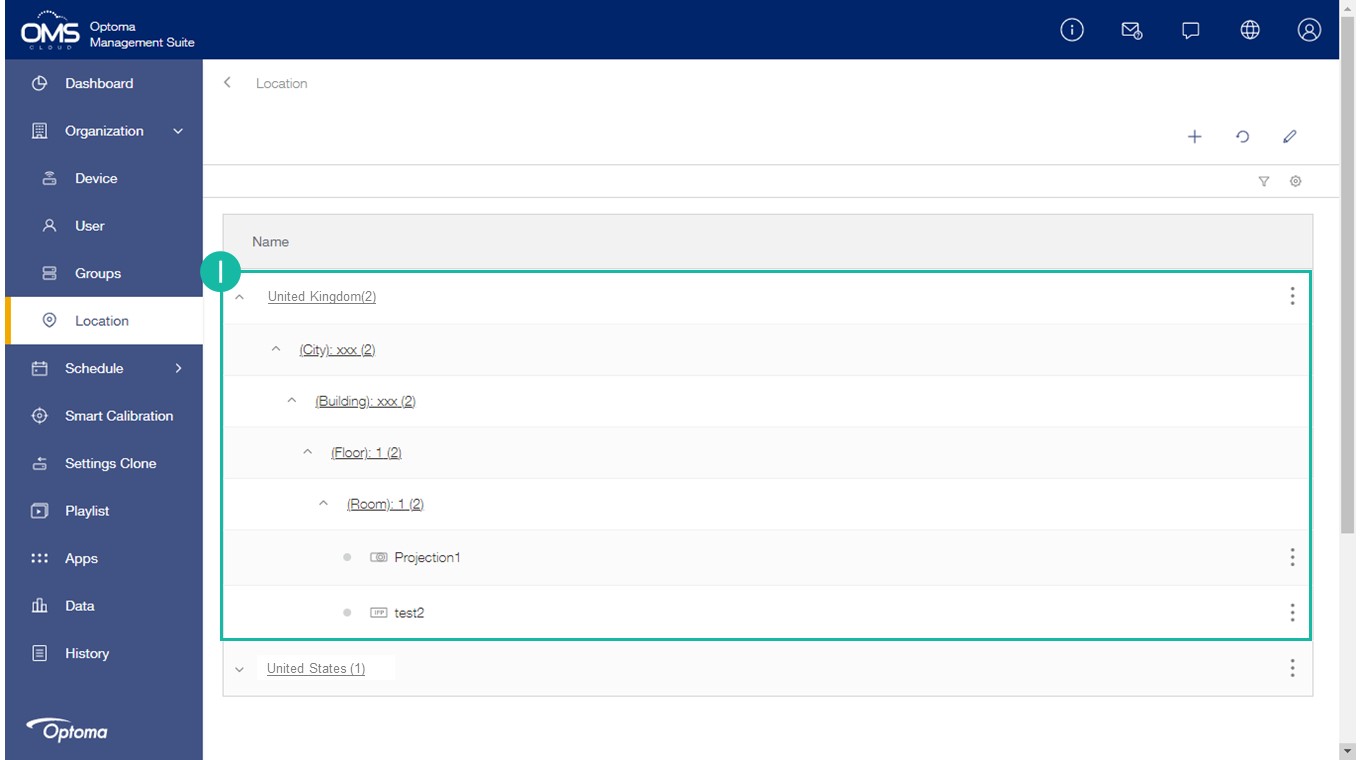
I The new location will be listed in the location list.
Immediate Control
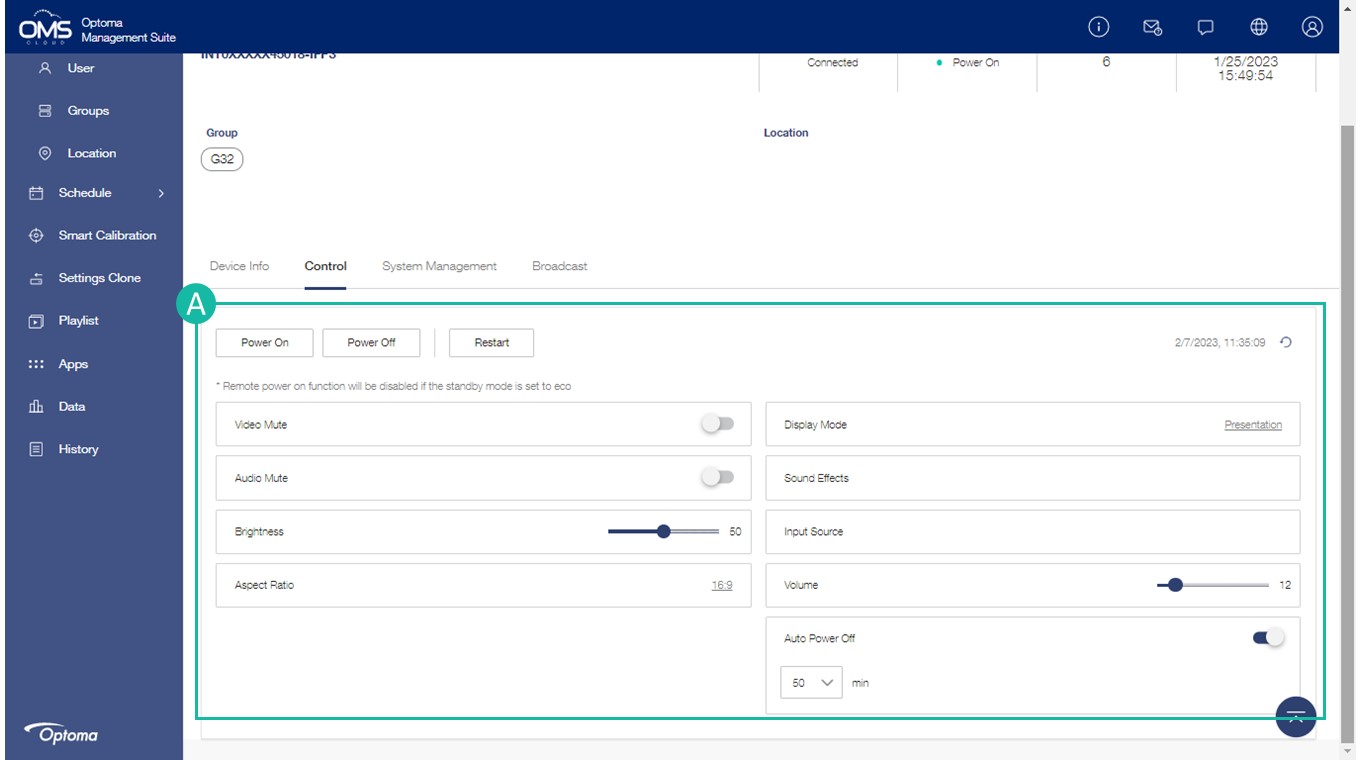
Device on the function menu > select a device > click Control tab > Control panel
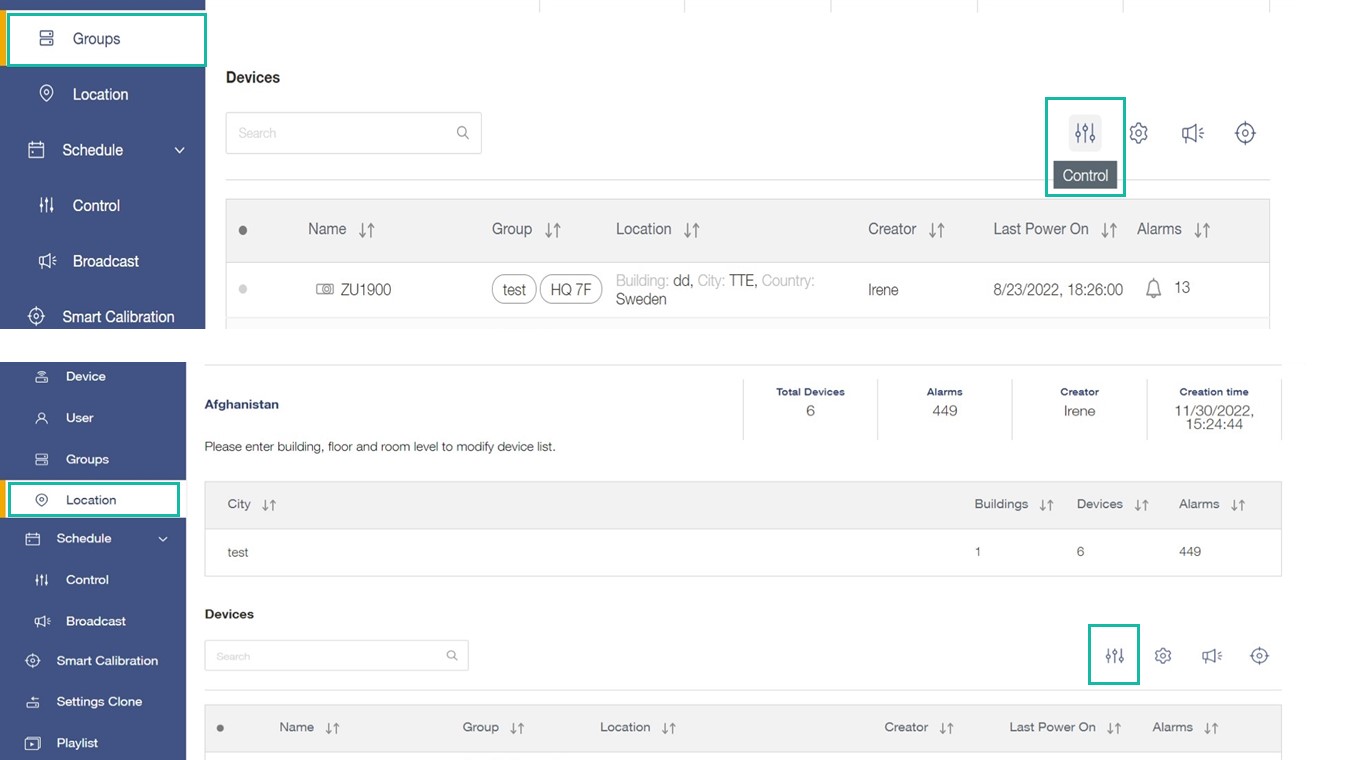
Group on the function menu > select a group > click  > Control panel
Location on the function menu > select a location > click > Control panel
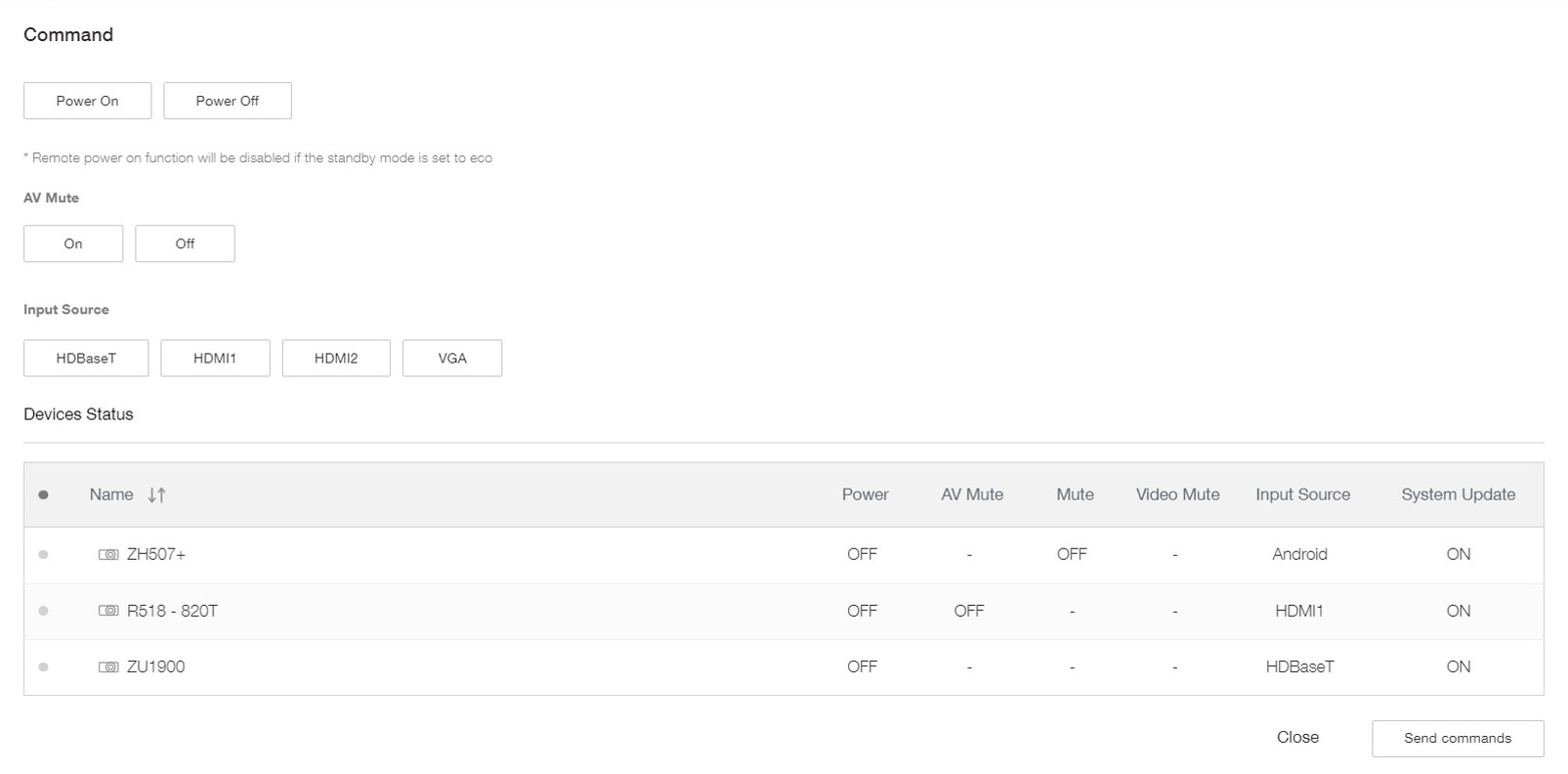
A Select one or more commands
*If power off is included in multiple commands, the power off command is executed last
*Control panel commands depend on different models
Group control / Location control
Location & Group command table
Schedule Control
Automate tedious tasks with scheduling
Set a task to run at a scheduled intervals. Options include input source switching, audio mute, video mute, brightness, aspect ratio, powering on/off and more.
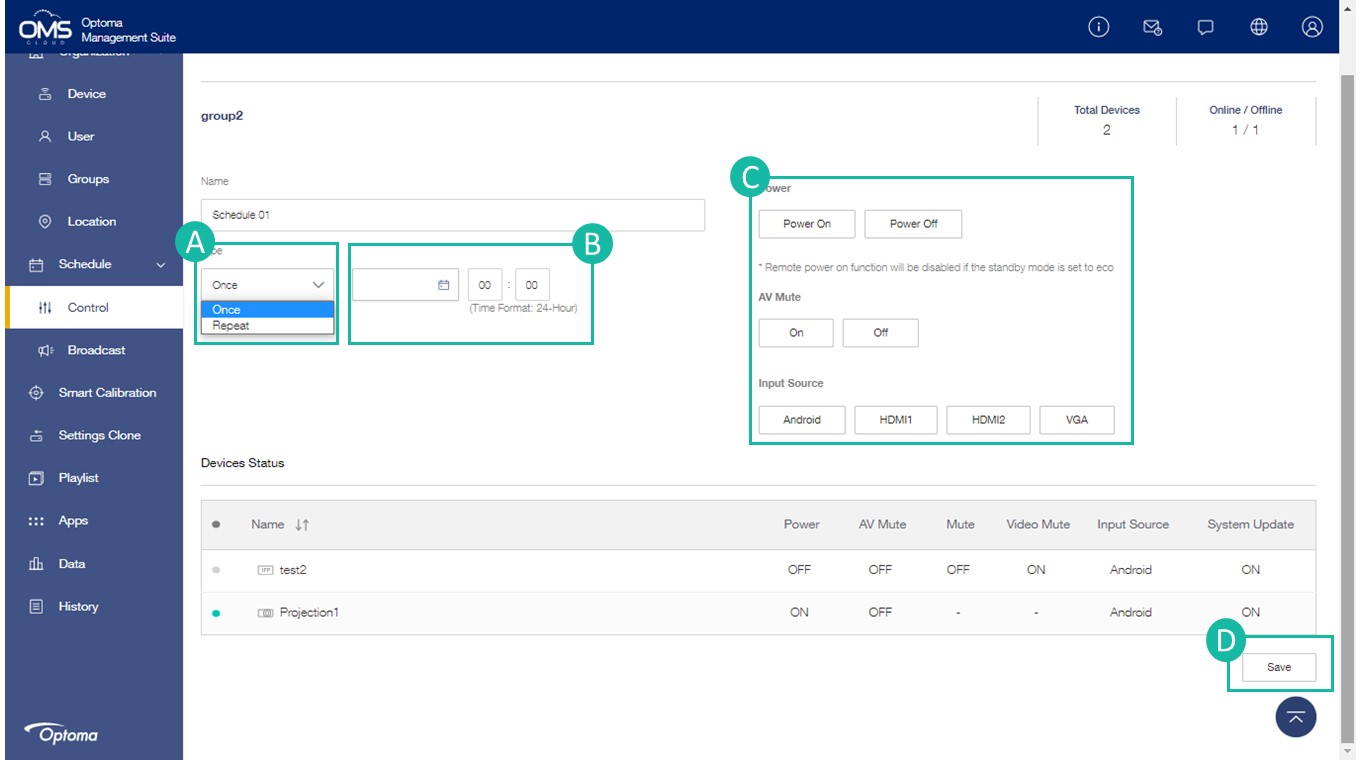
Control on the function menu > click + > select a device/group/location > Control panel
*Conrol the schedule by device, group or location.(You can access schedule from device, group and location in menu)
A Select Schedule Type: Once or Repeat
Once: One-time schedule
**Repeat: Monday to Sunday
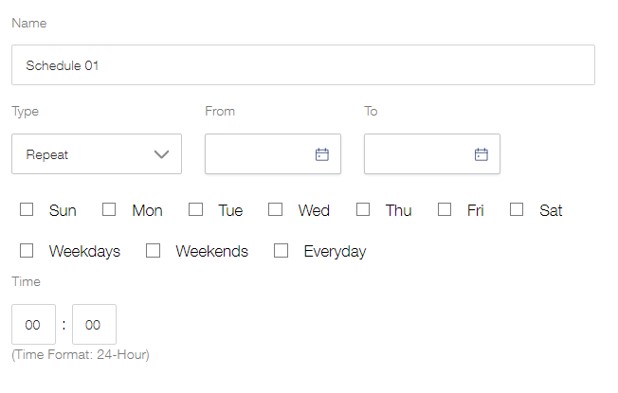
B Select the date and time for the scheduled task
C Select one or more commands
D Click Save to save the command task until execution
*If power off is included in multiple commands, the power off command is executed last
*Control panel commands depend on different models
Schedule status:
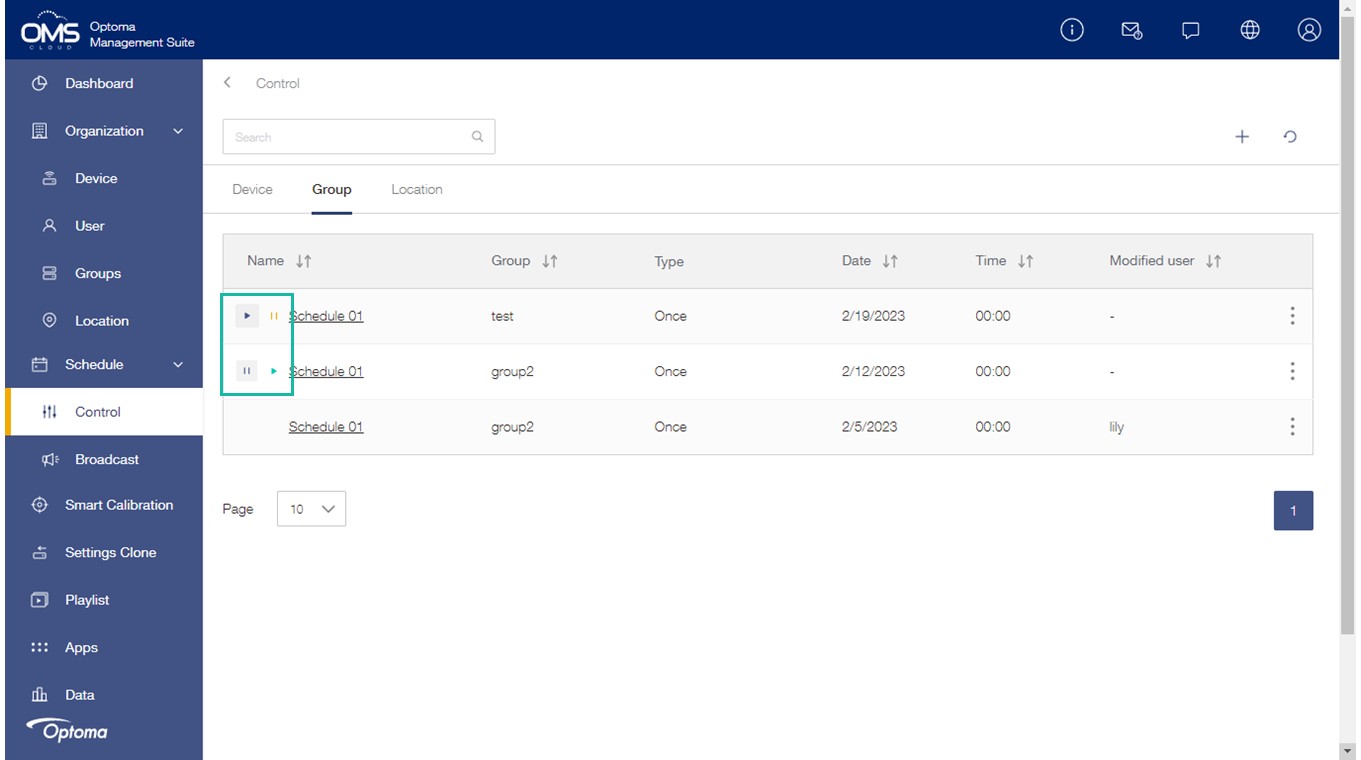
Click  activate the schedule.
Click  stop the schedule.