Articles in this section

OMSC | Add Device

Notice:Please ensure that your device is connected to the internet and the date/time is set correctly.

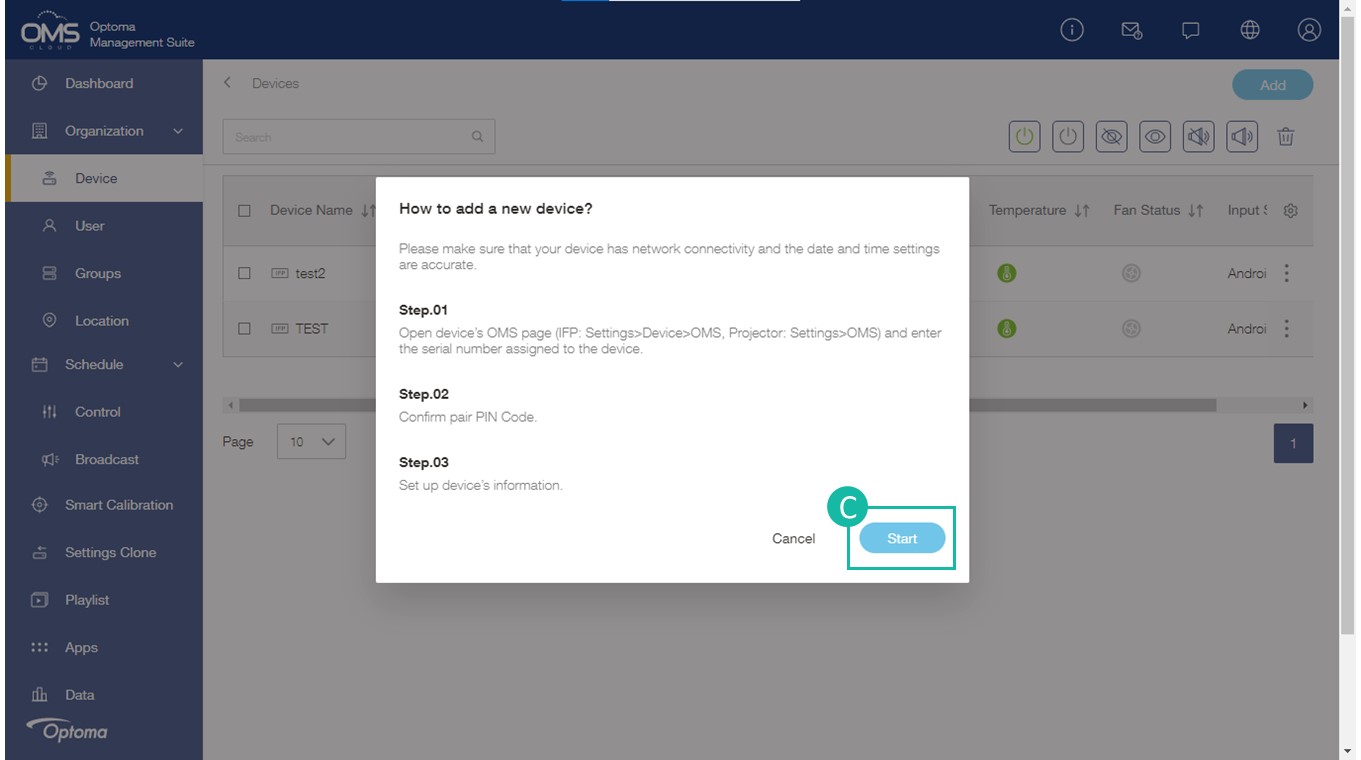
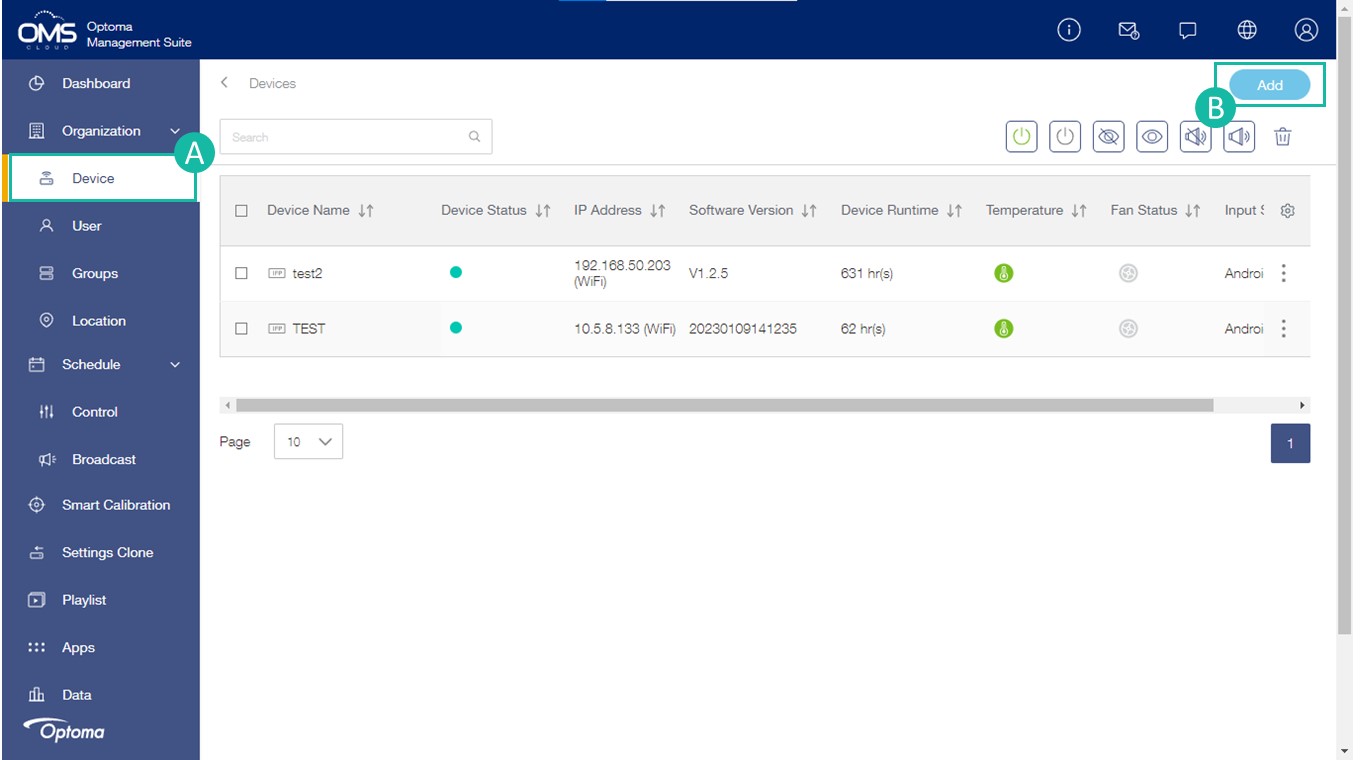
  1.  Click Device on the left function menu
  2. Click Add in the upper right corner
  3. Click Start  
  4. Follow instructions for device type


*Please make sure the device OMS pairing page is open


Interactive Flat Panel displays

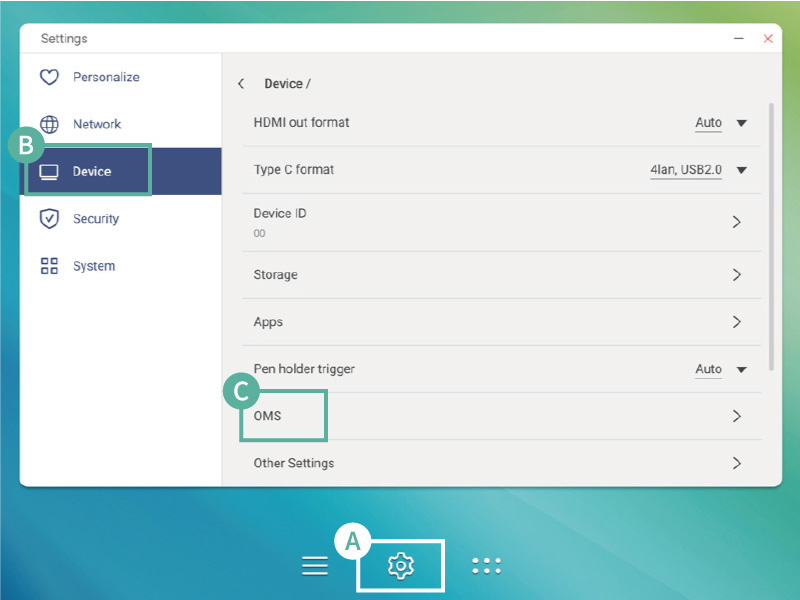
Go to OMS page on the device
A Setting > B Device > C OMS
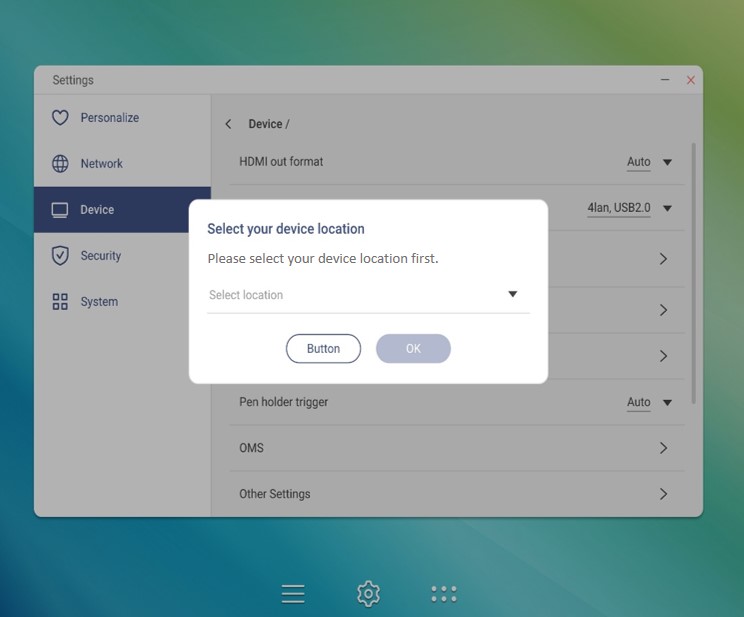
Select the location of your choice for the device: Worldwide or China


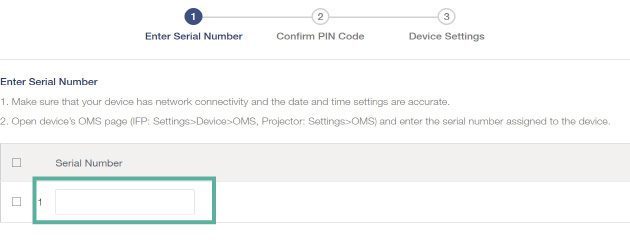
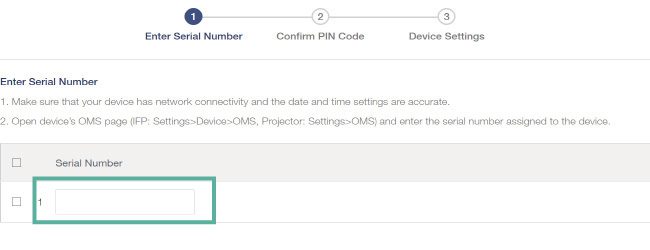
Find device Serial No. and type into the OMS system.


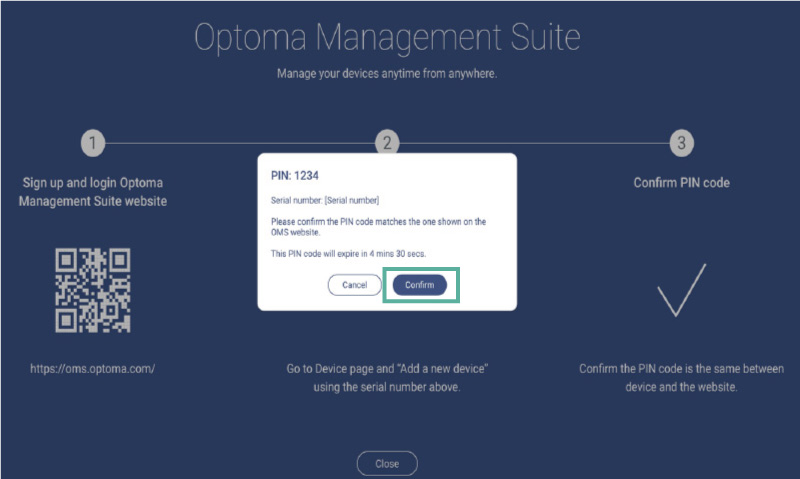
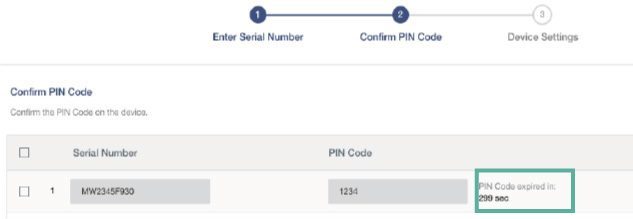
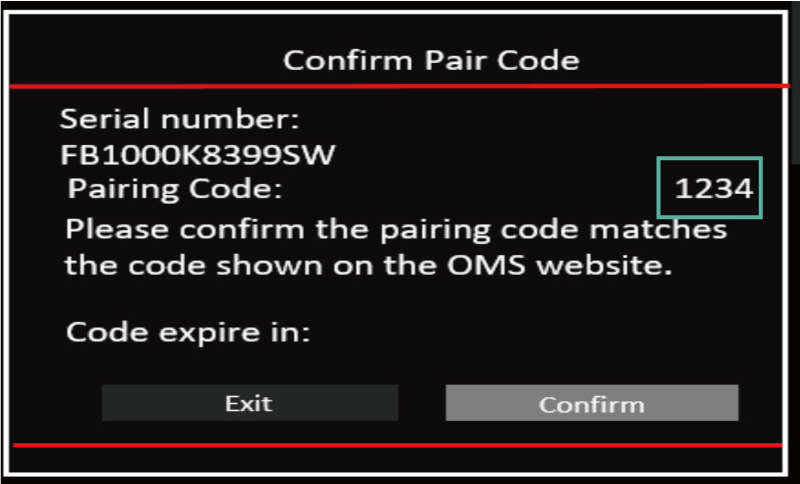
Confirm PIN No.


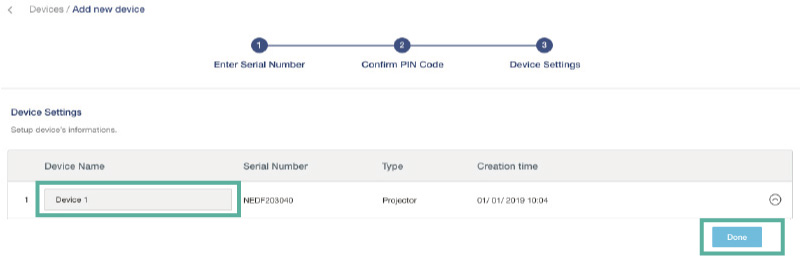
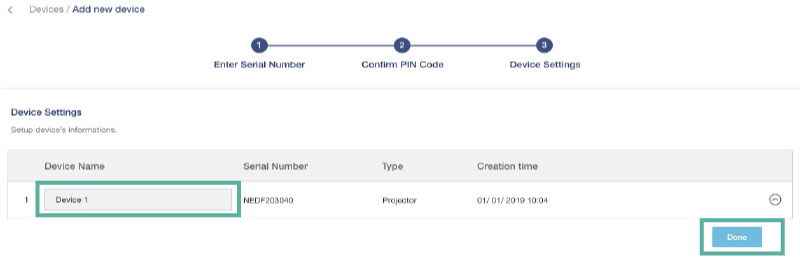
Type device name and info


Projectors

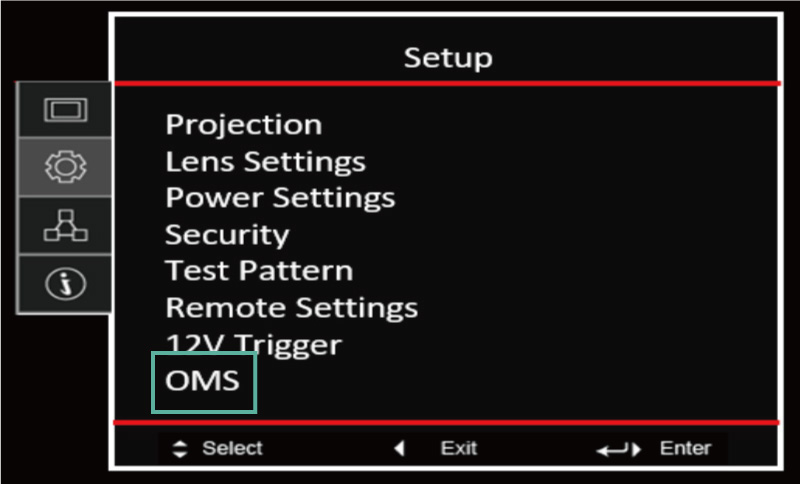
Setting > OMS

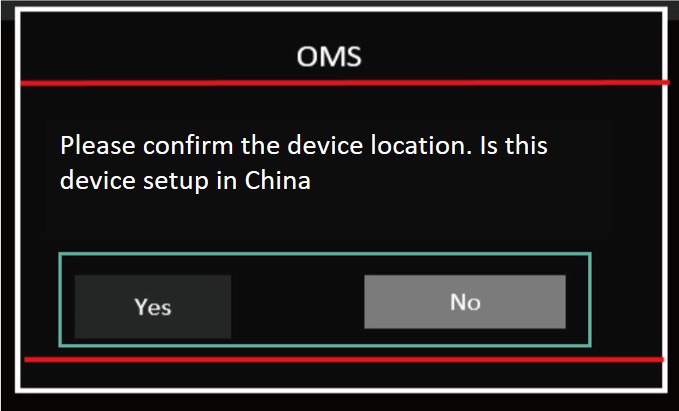
Select the location of your choice for the device: Worldwide or China
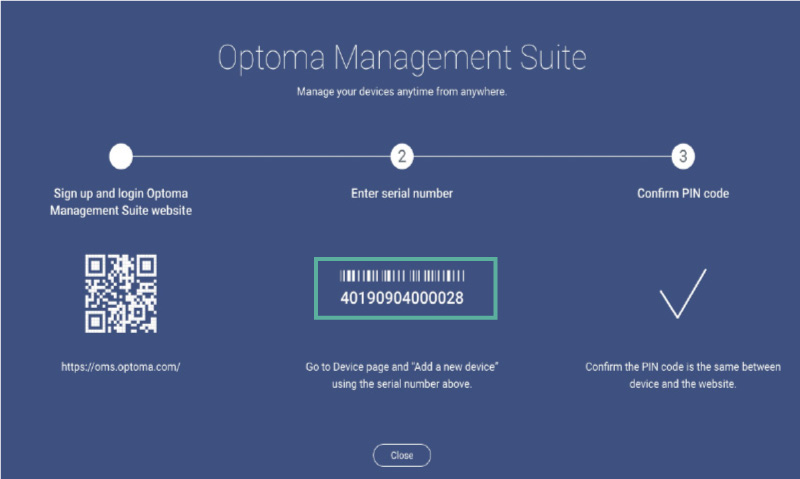
    

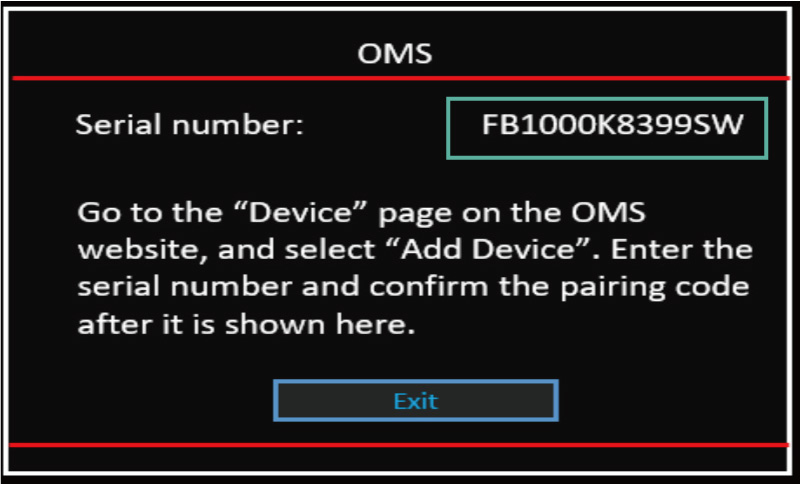
Find device Serial No. and type into the OMS system.


Confirm PIN No.


Type device name and info

Not what you were looking for? Let us know!
Request a new Article
Was this article helpful?
0 out of 0 found this helpful